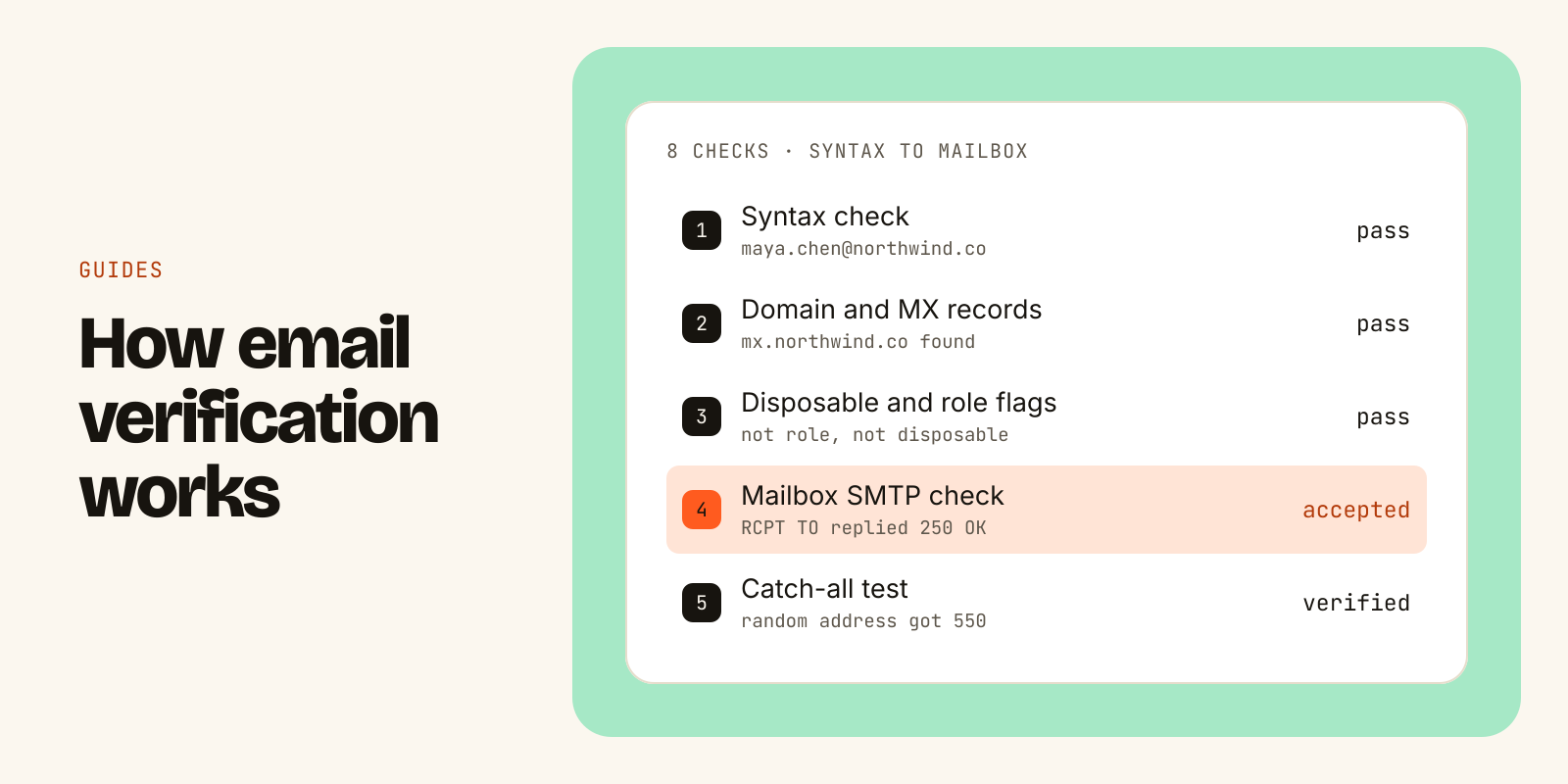
Email verification is the process of checking whether an email address can receive mail before you send to it. A verifier runs a series of checks, from cheap ones (is the address formatted correctly, does the domain exist and accept mail) to the expensive one (does the mail server say this specific mailbox exists). It then returns a label such as verified, catch-all, unknown or invalid.
You do it to avoid bounces. Every message sent to an address that does not exist tells mailbox providers you are mailing people you do not know. Enough of those hurt your sending domain's reputation, and your good emails start landing in spam. Verification keeps a list send-safe. It does not find new addresses, and it cannot promise that every address is perfect. Below is how each step works, what the results mean, and where the method runs out.
Why verify before you send
There are three practical reasons.
- Bounces cost reputation. A hard bounce is a permanent failure: the address does not exist or the domain cannot take mail. Mailbox providers notice when a sender keeps hitting addresses like that. Cold outbound is the most exposed, because the list is new to you and nobody on it has emailed you before.
- Lists decay. People change jobs, and the old work address is usually shut down. An address that worked when the list was built can bounce a few months later.
- Data entry is messy. Form fills, event sign-ups and merged spreadsheets bring typos, throwaway inboxes and shared addresses like info@.
Verification is the cheapest fix for all three. You pay a little per address to avoid paying in deliverability later.
How email verification works, step by step
Most verifiers run as a waterfall: cheap checks first, and an address stops as soon as it clearly fails. Here is the sequence.
- Syntax check. Is the string shaped like an email address? One @, a valid local part, a valid domain, no spaces or illegal characters. This catches typos such as
maya.chen@northwind,co. It needs no network call, so it costs almost nothing. - Domain check. Does the domain exist in DNS? A domain that does not resolve cannot receive anything. Expired company domains and misspelled ones fail here.
- MX record check. MX records name the servers that accept mail for a domain. If there are none, mail has nowhere to go. Keep in mind what this proves: the domain accepts mail. It says nothing about whether a particular person has a mailbox there.
- Disposable and role address detection. Disposable domains offer throwaway inboxes that expire. Role addresses such as info@, sales@ and support@ are shared inboxes. Role addresses may be deliverable, but they rarely reach a decision-maker, so most verifiers flag them rather than reject them.
- Mailbox-level check. The verifier connects to the domain's mail server and starts the same conversation a real delivery would start, as defined by SMTP (RFC 5321). It greets the server, gives a sender, then names the recipient. The server replies. A
250means it will accept mail for that address. A permanent5xxreply, typically550, means the mailbox is unknown. The verifier then ends the session before sending any message content, so nothing reaches the inbox. - Catch-all detection. Some domains accept every recipient at this stage, whether or not a mailbox exists, and sort it out later. A verifier tests for this by asking about an address that almost certainly does not exist, such as a random string. If the server accepts that too, the domain is catch-all, and a
250for the real address proves nothing. - Handling unclear answers. Servers time out, rate-limit, greylist (reply with a temporary
4xxasking the sender to try later, a common anti-spam tactic) or block verification attempts outright. A careful verifier retries politely or asks a second verifier, rather than guessing. - Label and timestamp. The address gets a final status, ideally with a confidence score and the time it was checked. The timestamp matters because results age.
Here is what step 5 looks like on the wire. Illustrative only, with a fictional domain:
S: 220 mx.northwind.co ESMTP ready
C: EHLO verifier.example
S: 250 mx.northwind.co
C: MAIL FROM:<check@verifier.example>
C: RCPT TO:<maya.chen@northwind.co>
S: 250 OK                 (mailbox accepted)
C: RCPT TO:<x7q2kd9w@northwind.co>
S: 550 No such user       (random address rejected, so not catch-all)
C: QUIT
The second RCPT TO is the catch-all test from step 6. Because the server rejected a random address, its acceptance of maya.chen@ means something.
What the results mean and what to do with each
Verifiers name their labels differently, but most map onto these four.
| Label | What it means | What to do |
|---|---|---|
| Verified | The server accepted this specific mailbox, and the domain is not catch-all. | Send. |
| Catch-all | The domain accepts every address, so no one can confirm this mailbox. | Send at lower volume, in a separate segment, and watch bounces. |
| Unknown | The server gave no clear answer: timeout, greylisting or blocking. | Treat as unconfirmed. Re-check later or hold back. |
| Invalid | Bad syntax, no domain or MX, or the server rejected the mailbox. | Do not send. Remove it. |
Disposable and role flags usually sit on top of these labels. A role address can be verified and still be a poor choice for outbound.
One thing to ask any verifier: how does it report catch-all and unknown? Some tools fold them into "valid" or a vague "risky" bucket. Rounding uncertain results up to valid makes the report look cleaner and sends more bounces your way. Keep catch-all and unknown as separate segments so you can decide on each.
What verification cannot tell you
Verification answers one narrow question. It helps to know its edges.
- It is not 100% accurate. A server can accept an address during the SMTP check and bounce the message later. Some large mailbox providers do not reveal mailbox existence reliably. Any provider that promises perfect accuracy is overstating what the method can do.
- It is not inbox placement. Verified means the mailbox exists. Whether your email lands in the inbox or in spam depends on your domain authentication, sending reputation, content and volume.
- It is not identity. A working address is not proof that it belongs to the person you think, or that they still hold the role on your list.
- It is not permanent. A result is true at the time it was checked. People leave, domains change, catch-all settings change.
- It is not discovery. Finding an address for a person (email discovery or email finding) is a separate job. Verification checks an address you already have. Many tools do both, but a found address is not a verified one until it passes the checks above.
A practical warning if you run checks yourself: aggressive probing can get the checking IP blocked. Never run mailbox checks from the same IPs or domain you send campaigns from.
When to verify
Verification is most useful at four moments.
- On capture. When an address enters your system from a form, an import or an enrichment tool, verify it before it reaches a sequence.
- Right before a campaign. Re-verify a loaded list just before launch, especially if it has been sitting for weeks.
- After bounces. Remove hard bounces at once. For people who changed jobs, look up their new role and a new address instead of just deleting them.
- On a schedule for your CRM. Contacts go stale quietly. A periodic pass catches them before a rep wastes a sequence on a dead address.
Verifying emails with an AI agent
If you already work in Claude, ChatGPT, Cursor or another agent, you can hand verification to the agent instead of uploading files to a dashboard. Leadsets is a B2B data API and remote MCP server built for that. Its verify_email tool runs the waterfall described above: syntax, DNS and MX, disposable and role addresses, then a mailbox-level check, then a second verifier for uncertain, catch-all or conflicting results. Anything still unclear is labelled unknown and never rounded up to valid. The full method is on the email verification page.
After you connect the MCP server, you ask in plain language:
Clean this list of 800 emails before I send. Flag catch-alls separately.
The agent calls verify_email in batch and returns each address with its status, a confidence score and when it was checked. A single result looks like this (fictional example):
"work_email": {
  "value": "maya.chen@northwind.co",
  "status": "verified",
  "confidence": 0.94
}
What it costs and what to watch:
- Standalone
verify_emailcalls count toward your enrichment limit. Emails returned byenrich_personare already verified, so there is no second call and no second bill. - The free plan gives 1,000 records once, with no card, and covers verification. Paid plans are flat monthly prices from $29 (Solo: 1,000 enrichments per five hours, 5,000 per week); bulk lists run as async jobs on every paid plan. See pricing.
- Invalid addresses are never served as contact emails, and Leadsets does not hammer mail servers to force an answer. That is why some results stay unknown.
If you want a ready-made workflow, the free skills library includes playbooks for cleaning a list before sending, segmenting catch-alls and running a pre-send check on a loaded campaign.
The short version
Email verification checks an address in layers: format, domain, MX records, disposable and role flags, then a mailbox-level SMTP conversation that stops before any message is sent, plus a catch-all test. The output is a label. Send to verified, send carefully to catch-all, hold unknown, drop invalid. Re-verify before every campaign, because a result only describes the moment it was checked.
Go deeper
- Email verificationVerified, catch-all, unknown or invalid, with confidence
- How our data is madeSources, freshness and the verification waterfall
- Limits and costsWhat verify_email and enrichment use